

You're comparing AI tools wrong
Plus a Claude Skill and CustomGPT to do it right

Glad you’re here and thank you for reading Approachable AI by Pat Schaber! In case you missed some recent topics here’s a recap:
Is Claude right for business AI workflows?
Hours of Excel data cleanup in minutes - here’s how
Now let’s dive in to today’s topic!
I’m passionate about this topic. I’m going spell out the “why” in the first part of this newsletter and then in the second part, show you how to use a CustomGPT and/or Claude Skill to make this process quick and easy.
Every week, I get a similar question phrased a dozen different ways:
“Should we use ChatGPT or Claude for content creation?”
“What’s the best AI tool for sales enablement?”
“Which platform should we choose for customer support automation?”
And every week, I give the same answer: It depends on your process and what you want for an outcome.
Not your budget. Not your tech stack. Not what your competitor is using. Your process.
Sometimes there is disappointment that there isn’t a quick answer. People want a simple vendor comparison with features in column A, pricing in column B, winner circled in red. What they get instead is homework.
But here’s the thing: every failed AI implementation I’ve seen starts with the same mistake. Teams compare tools before they understand their own workflows. They’re shopping for solutions to problems they haven’t clearly defined.
This is the hard part.
The Feature Comparison Trap
The software industry has trained us to buy this way. Vendor websites are feature buffets: “AI-powered insights! Seamless integrations! Enterprise-grade security!” Comparison sites reduce complex decisions to checkbox matrices.
This works fine for commodity purchases. If you’re buying project management software and you need Gantt charts, SSO, and mobile apps, go compare features. The process is already standardized.
But AI tools are process multipliers. They don’t replace a standardized workflow but rather amplify whatever workflow you feed them.
Feed them a clear, well-defined process? You get leverage and efficiency.
Feed them ambiguity and wishful thinking? You get expensive chaos.
What Actually Matters (And What Doesn’t)
After helping dozens of companies evaluate AI tools, I’ve noticed a pattern. The teams that succeed don’t start by comparing vendors. They start by getting brutally honest about three things:
1. What process are we actually trying to improve?
Not “content creation.” That’s a category, not a process.
A process has inputs, steps, outputs, and handoffs: “Marketing manager requests blog post → writer receives brief with keywords and outline → draft created → reviewed against SEO checklist → edited for brand voice → approved by subject matter expert → published to CMS.”
You can’t evaluate AI tools against “content creation.” You can evaluate them against that specific workflow.
2. What outcome are we optimizing for?
This is where things get uncomfortable, because it forces tradeoffs.
Are you trying to save time, reduce cost, increase volume, improve quality, or reduce risk? You probably want all five. But AI tools make different tradeoffs, and you can’t optimize for everything simultaneously. I’ve tried. It doesn’t work.
A tool that maximizes speed might sacrifice consistency. A tool that ensures quality might require more human oversight. A tool that reduces cost might limit customization.
What’s your primary outcome? Everything else is secondary.
3. Where do humans stay in the loop?
I often see teams skipping a key question: Where do humans need to review, approve, or intervene?
Not “where do they currently intervene” (that’s often inefficient habit). And not “where could AI theoretically handle it” (that’s vendor optimism).
Where do humans need to stay involved because the risk, judgment, or relationship matters?
If you can’t clearly identify where humans stay in the loop, you’re not ready to evaluate AI tools (or at least not ready to do it with me). You’re just shopping for automation theater.
The Real Comparison Framework
Once you have clarity on process, outcomes, and human handoffs, tool comparison becomes straightforward. You’re no longer asking “which tool has better features?” You’re asking:
Process alignment: Does this tool match our inputs, outputs, and volume?
Outcome fit: Does this tool optimize for our primary outcome, or force us into tradeoffs we don’t want?
Setup friction: How much work is required to get this running in our actual environment?
Change management burden: How much do people’s habits need to change?
Ongoing oversight: Does the required human review match where we actually need it?
Notice what’s missing from this framework: almost everything vendors lead with.
I don’t care if the tool has “advanced AI capabilities” if it doesn’t match your process volume. I don’t care about “seamless integrations” if the integration points don’t align with your actual handoffs. I don’t care about “enterprise features” if your team of 50 people will never use them.
The best tool is the one that fits your specific process and optimizes for your specific outcome with the least friction.
Why This Is So Hard
If this framework is so obvious, why doesn’t everyone use it?
Because it requires work before the fun part. It requires honest assessment of current processes which are often messy, inconsistent, or poorly documented. It requires choosing a primary outcome which surfaces disagreements the team has been avoiding. It requires admitting where humans need to stay involved which feels like limiting AI’s potential.
Most teams skip this work. They jump straight to vendor demos, get dazzled by possibilities, and sign contracts based on hope. I’ve been in that trap!
Then six months later, they’re stuck with a tool that technically works but doesn’t fit how their team actually operates. Adoption is low and the results are underwhelming. The AI initiative gets quietly shelved. Ouch.
The problem was never the tool. The problem was comparing tools before understanding the work.
A Better Way
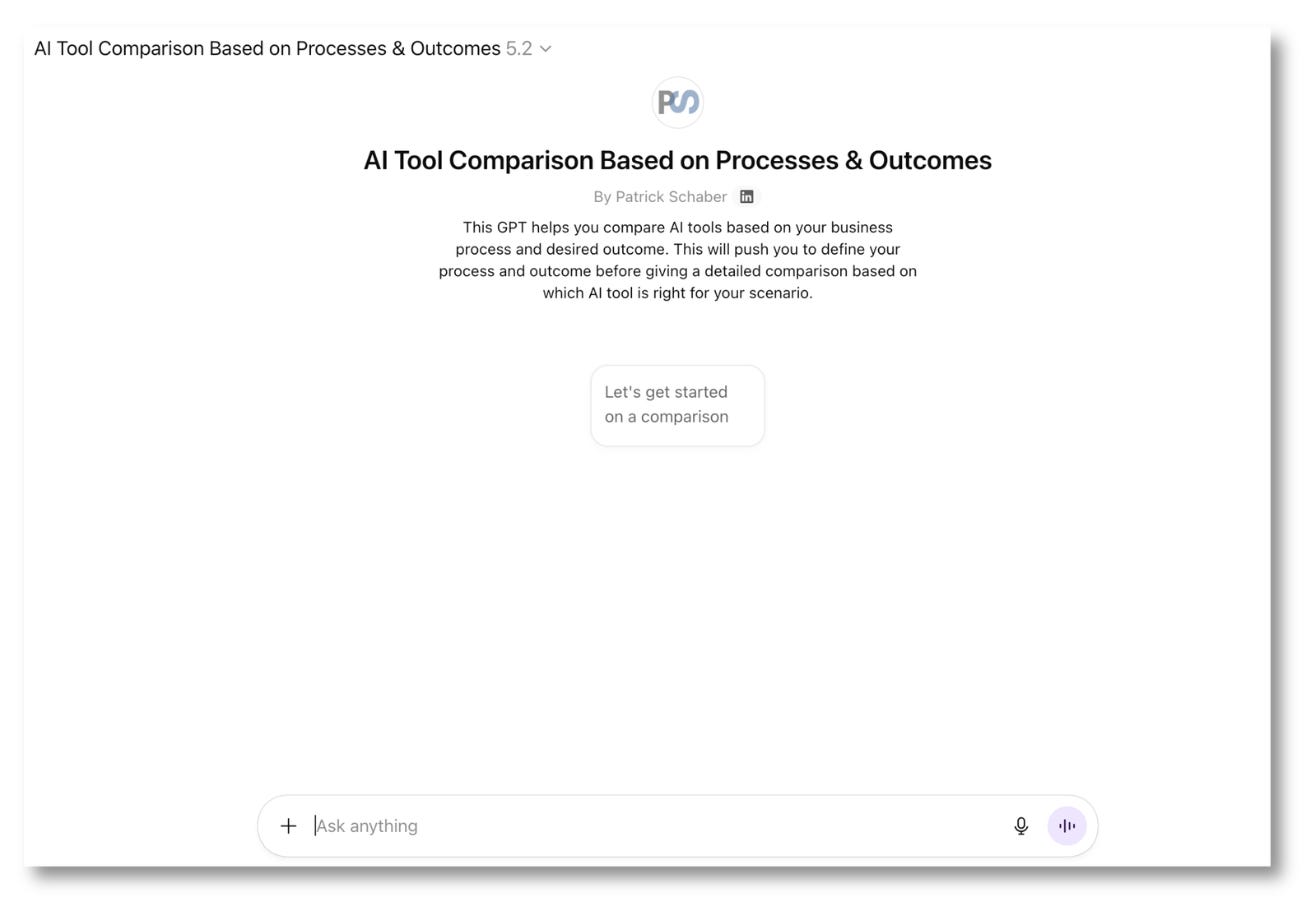
This is why I built a CustomGPT for ChatGPT users and a Claude Skill for Claude users that forces the process-first approach.
They don’t let you skip to tool comparison. They walk you through the uncomfortable questions about your actual process, your real outcomes, and your necessary human handoffs. They push back when your process definition is too vague. They flag when your desired outcomes don’t match your process reality.
Only after you’ve done that work do they compare tools and when it does, the comparison is grounded in your specific situation, not generic feature lists.
The output isn’t a simple “use this tool” recommendation. It’s a complete analysis you can take to leadership: executive summary, detailed comparison, implementation considerations, pilot design, and vendor questions to ask.
If you use the Claude Skill you also get a spreadsheet and presentation deck ready to share. This works super well in Claude Cowork if you’re using that.
Because here’s the truth: AI tool selection shouldn’t be a purchasing decision. It should be a process improvement project that happens to involve software.
Here is a link to the Markdown file for the Claude Skill. If you install it, all you have to do is let Claude know you want to compare AI tools and it will kick off the process.
Claude Skill
Google Drive Folder with Zip: ai-tool-comparison-skill.zip
You can download a Zip file from my Google Drive from the link above. In it you’ll find the markdown file containing the Claude Skill and a Readme file with instructions on how to install if you’re not familiar.
This is my favorite of the two. I have it set up to auto create three files when completed with the comparison:
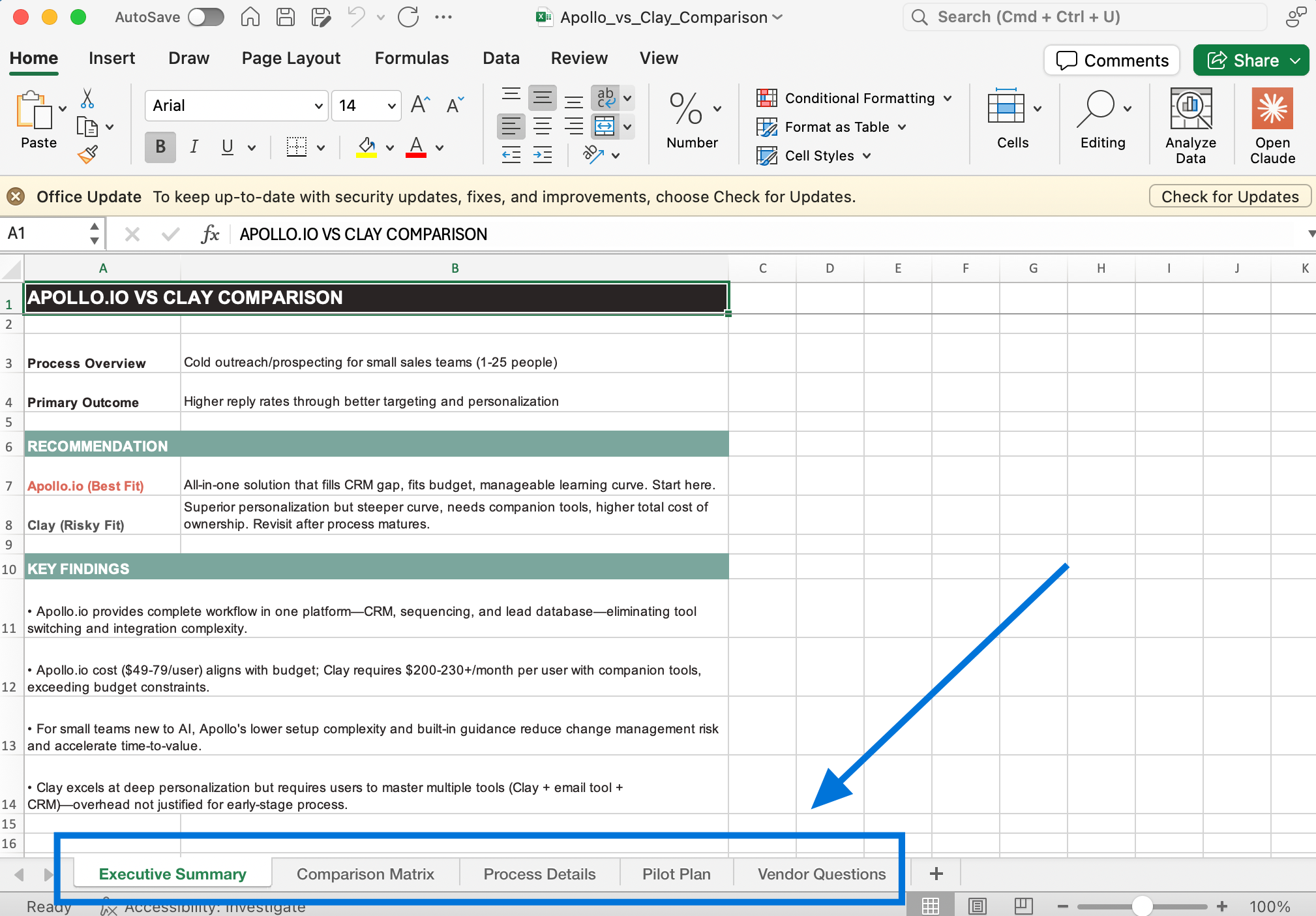
Excel Spreadsheet: Has a Comparison Matrix, Process Details, Pilot Plan, and Vendor Questions.
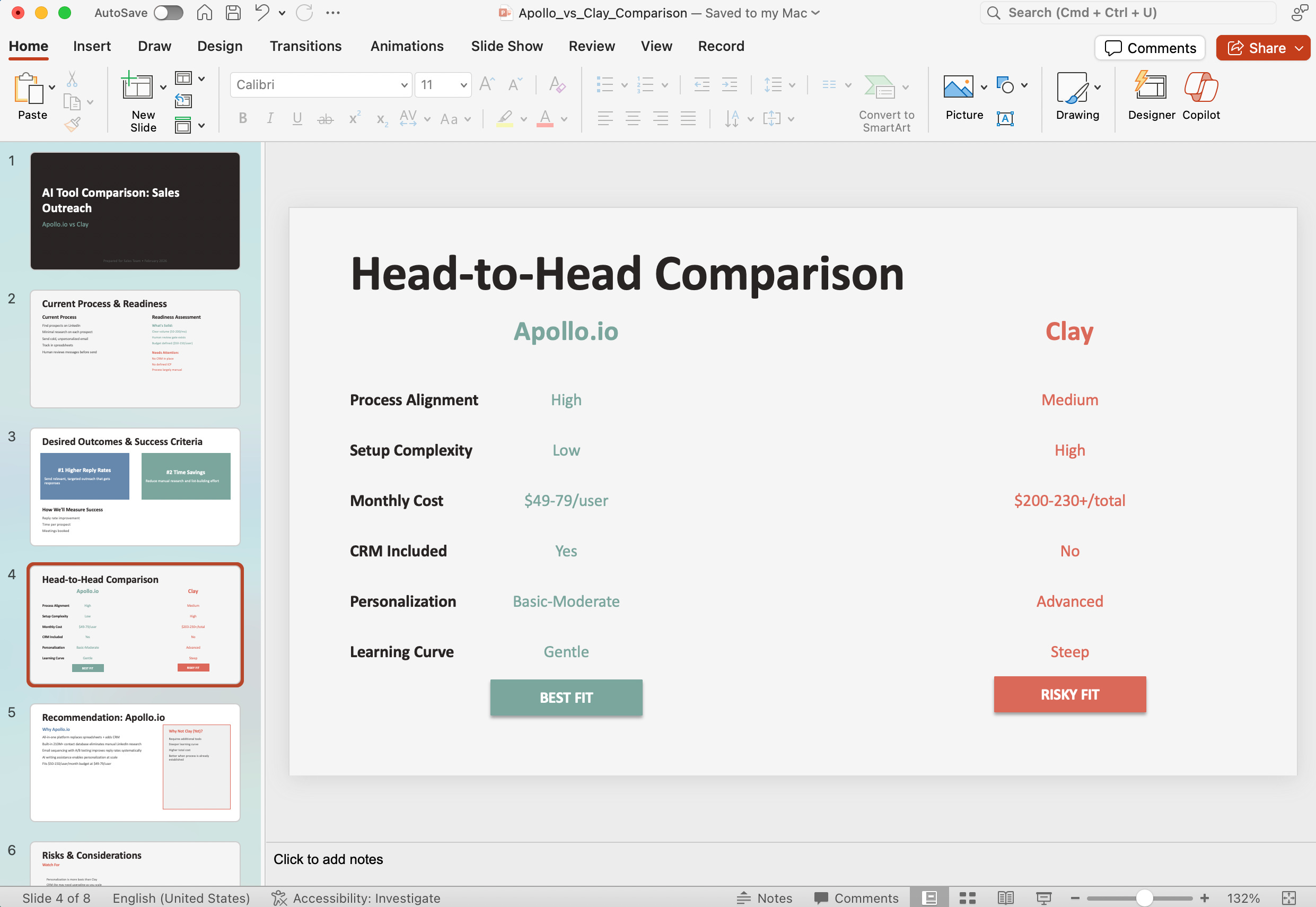
PowerPoint: A great start on a deck you can share internally with your team and management.
Word Document: A nice formatted Executive Summary of your discussion and the comparison findings.
To trigger the Skill in Claude just say you want to “Compare AI tools”.
Chat GPT CustomGPT
Click here to try the CustomGPT
Not as many bells and whistles with this one but you still get a great discussion and comparison output.
Nothing to install here. Just click the link above and start your comparison.

AI Tech I’m Currently Using
I get quite a few questions on Substack, LinkedIn, and through my website on what AI tools I use for what use cases. I’ll try to share a few in each newsletter so it will give you some ideas of tools for can try for specific purposes. Here are a few for this week:
Everyday LLM - ChatGPT and Claude: I cover a lot of this above so won’t dive in too far here.
Call and Meeting Transcriptions - Granola: I like Granola for a couple of reasons. It takes the transcription and roles it up into very good notes and action items but doesn’t need to be added to a meeting as an attendee. Also, it syncs great with my Hubspot CRM which makes it very easy to send notes to the contact record.
Presentations / Branded Documents - Gamma.app: I use this 3-4 times a week for anything I do with client presentations or professional document creation. I cover why I’m a heavy Gamma user in this post:

Video Recording / Editing - Descript: I’m trying to work in time to my weekly routine for video creation. I feel it’s important to give people a more personal connection. Descript is a huge timesaver. Imagine being able to erase or add text from a script and have it be reflected in the actual video in seconds. Unbelievable.
Sales Prospecting - Apollo.io: I don’t do a ton of outbound prospecting for my business but I’ve been using the free version of Apollo.io to find companies that I could get to know through LinkedIn that may be interested in my services. I’m only touching on a sliver of the capabilities of this tool.